Contents:
- Quick Answer
- What You’ll Need Before Starting
- Step-by-Step: Building Your Free Business Website
- Step 1: Choose a Free Website Platform
- Step 2: Select a Template
- Step 3: Add Core Pages
- Step 4: Optimize for Mobile
- Step 5: Publish and Share Your Link
- The Sustainability Angle Nobody Mentions
- Common Mistakes When Building a Free Website
- Seasonal Timeline for Launching Your Site
- Frequently Asked Questions
- Is a free business website good enough long-term?
- Can I sell products on a free website?
- How long does it take to build a free website?
- Do free websites rank well on Google?
- Next Steps After Launching
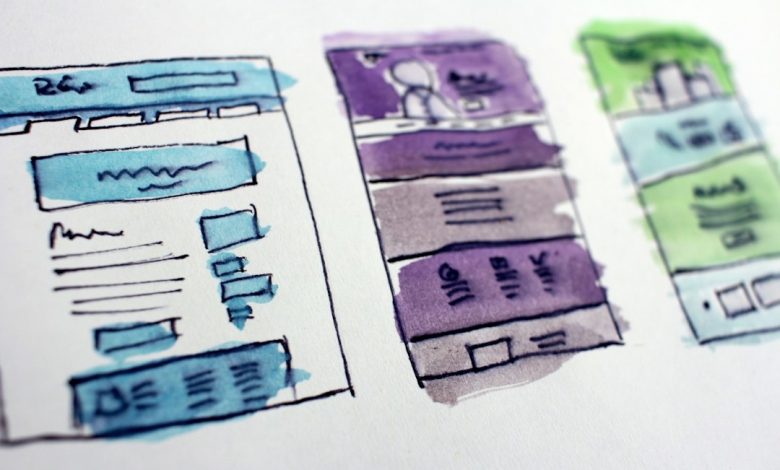
Many people assume a business website always requires hundreds of dollars and a developer on retainer. That assumption is outdated. Free tools now exist that let a determined small business owner publish a functional, professional website in a single afternoon, without spending a cent upfront.
Quick Answer
You can build a free business website using platforms like WordPress.com, Wix, or Google Sites, each offering a free tier with a subdomain, basic templates, and hosting included. Upgrading later for a custom domain typically costs $10 to $20 a year.
What You’ll Need Before Starting
Gather your business name, logo file if you have one, a short description of your services, contact information, and at least three to five photos. Having this content ready before you start building saves significant time.
Step-by-Step: Building Your Free Business Website
Step 1: Choose a Free Website Platform
Wix, WordPress.com, and Carrd all offer free plans suitable for small businesses. Wix works well for visual businesses like photography or design, while WordPress.com suits content-heavy sites like blogs or consulting practices.
Step 2: Select a Template
Pick a template matching your industry, then customize colors to match your branding rather than starting from a blank canvas.
Step 3: Add Core Pages
Every business site needs a homepage, an about page, a services or products page, and a contact page with a working form.
Step 4: Optimize for Mobile
Most free builders auto-adjust for mobile, but always preview on a phone screen before publishing.
Step 5: Publish and Share Your Link
Free plans typically publish to a subdomain like yourbusiness.wixsite.com, which works fine for testing before investing in a custom domain.
The Sustainability Angle Nobody Mentions
Choosing a hosting provider that runs on renewable energy, such as certain green-certified data centers used by platforms like WordPress.com, reduces your website’s carbon footprint. Even a simple, lightweight site design loads faster and consumes less server energy than image-heavy pages.
Common Mistakes When Building a Free Website
Owners often overload the homepage with text instead of letting visuals do the work. Others forget to add a clear call-to-action, leaving visitors unsure what to do next. Skipping mobile testing is another frequent oversight that hurts both usability and search rankings.
Seasonal Timeline for Launching Your Site
Plan a soft launch in late winter, refine content through spring, and aim for a polished version before summer, when search traffic for most service businesses tends to pick up. Retail businesses should prioritize having their site live before the November holiday shopping season.
Frequently Asked Questions
Is a free business website good enough long-term?
It works well for testing an idea, but most businesses eventually upgrade for a custom domain and removed ads.
Can I sell products on a free website?
Some platforms allow limited e-commerce on free tiers, though most require a paid plan for full checkout functionality.
How long does it take to build a free website?
A basic five-page site can realistically be built in three to six hours using a template-based builder.
Do free websites rank well on Google?
Yes, if built with clear content and proper page titles, though a custom domain generally performs better for search visibility.
Next Steps After Launching
Once your site is live, connect a free Google Business Profile, submit your sitemap to Google Search Console, and monitor visitor behavior monthly to guide future updates.